
Assetto Corsa chase camera & GAP Cam.
Keep the car in the story.
SODIUM’s chase camera lets you adjust an external camera’s position and movement from inside Assetto Corsa. Choose a style, tune how it follows acceleration, braking and corners, then keep a camera setup for your car without changing your image look.
Read the chase camera & gap cam guide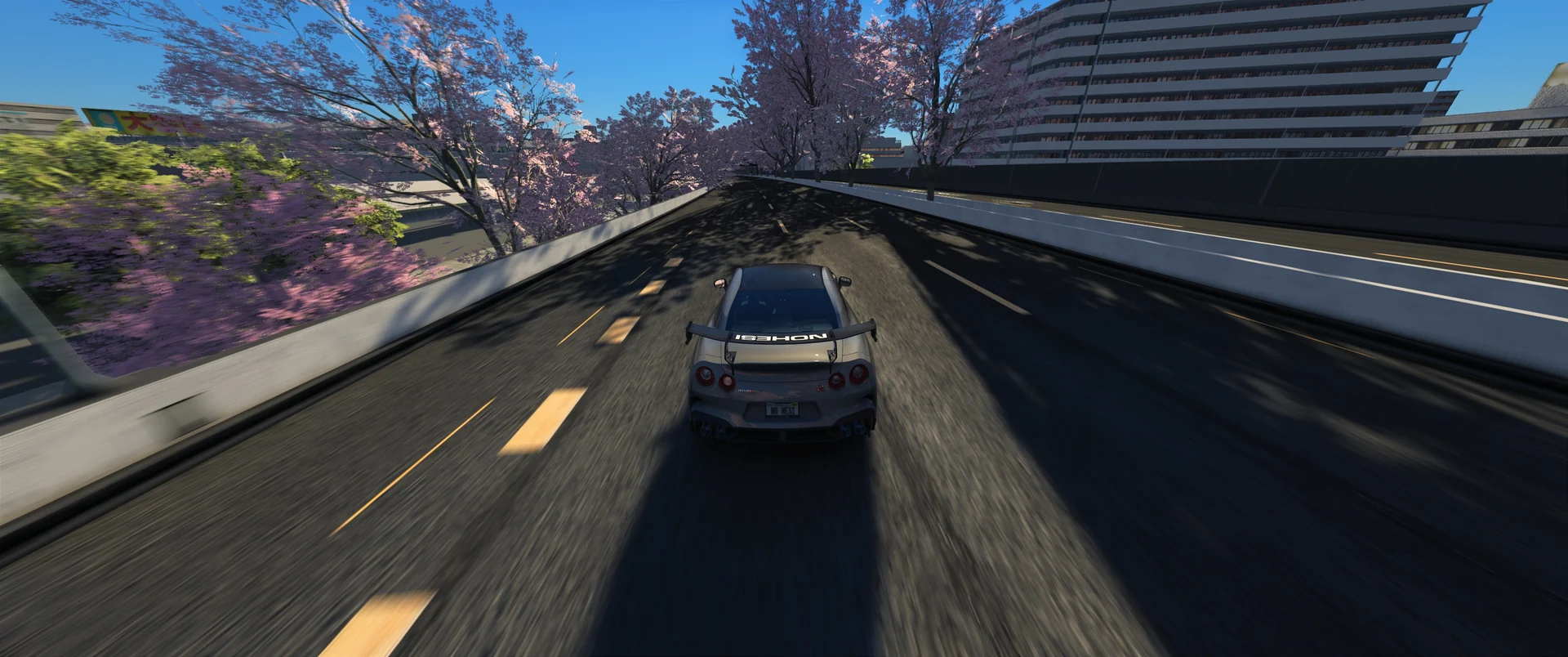
- chase styles
- 15
- rear-facing view
- GAP
- saved camera baseline
- Per car
Choose where the story sits.
Preset descriptions explain the intended direction. Start with one, then make it yours.
- Balanced
- The everyday chase: a settled view, a level horizon and a little body movement.
- Road
- Lower framing with more brake response and controlled recovery after movement.
- GAP Cam
- An external camera mounted behind the car and facing backward, showing the road and cars behind you.
- Boom
- A higher camera with a sideways offset and composed movement through corners.
Position first. Feeling second.
Frame the car
Set distance, height, side offset and pitch. A low, close view tells a different story from an elevated camera.
Shape the response
Adjust smoothing, look-ahead, brake dive and road feel. Reduce movement for a calmer drive or give acceleration more weight.
Keep control clear
Selecting a SODIUM chase style switches to chase view outside VR. Turn SODIUM chase off to release its control, or return to your saved camera baseline.
Three steps to get started.
Open the full guideTake the chase view
Open SODIUM → Camera. Turn on Use SODIUM chase camera, or select a chase style.
Set the angle and movement
Begin with Balanced, then adjust distance, height and pitch. Use Dynamics to tune how the camera follows the car.
Save for this car
Choose Save camera when the view feels right. Your image look and weather remain independent.
Know your setup.
Requires the SODIUM package and its camera script, Assetto Corsa, Content Manager and CSP. Close the drive before installing an update so the app and camera files load together. This release targets Windows SDR; VR is not supported.
Installation & activationIs GAP Cam a 360° camera?
It is a wide, rear-facing camera mounted behind the car. It does not reconstruct a spherical 360° image or orbit the camera to the front.
Why might FOV look unchanged?
Matching FOV diagnostic numbers do not prove the rendered framing changed. Another camera or dynamic-FOV mod can compete for control. The camera guide explains the optional Flixxs startup setting, restart and restore steps. If framing still does not respond, send Copy camera checks to support.
Bring it into your drive.
Create your website account, link Discord, then join the server. Downloads open when your tester access or subscription is active.
Website sign-up is free. Product access is approved separately.